Nearby Payment
This guide describes the nearby payment flow where a Customer device discovers multiple Business devices in range via BLE and can accept payments from any of them.
Prerequisites
- A logged-in business user
- A logged-in customer with at least one valid payment instrument
Flow overview
- Customer starts advertising via BLE and listens for payment events
- Business side creates a payment instance and scans for BLE connections
- Information exchange occurs between business and customer devices once connected
- Payment request is sent by the business user and can be accepted or cancelled by the customer
- Payment acceptance is sent from the customer to the business user if approved
- Payment execution and finalization occur with the backend on both sides.
Offline scenarios:
- If one side is offline, the online side handles the payment and shares results
- If both are offline, payment requires pre-authorization (experimental feature)
Let's check each step in more detail.
Customer: Customer — Listen for nearby payments and accept
The Customer device listens for incoming payment requests from any nearby Business terminal via BLE and accepts or declines.
Note: This starts a short-lived payment session that automatically terminates after final payment events. Each session handles only a single payment - to receive another payment, call the receive method again.
The usual flow of these events for a payment looks like:
receivedPaymentfinishedPaymentwhen the payment is concluded with success
alternate payment outcomes:cancelledin case the payment is cancelled by either side this indicates the end of a paymenterrorin case a payment or an established payment connection failsotherPaidin case the received payment was paid by another payee
disconnectedwhen the connection is closed
vipaso.payment.customer.receiveNearbyPaymentRequests { paymentEvent in
	switch paymentEvent {
  	case .cancelled:
    	// Handle the cancellation
    	self?.handlePaymentCancellation()
    case .error(let error):
    	// Handle the error case
    	self?.handlePaymentError(error)
    case .finishedPayment(let paymentResult):
    	// Handle the case the payment is finished
    	self?.handleFinishedPayment()
    case .receivedPayment(let paymentRequest):
    	// display payment for the user
    	self?.handlePayment(paymentRequest: paymentRequest)
    case .otherPaid:
    	// Handle the case if another wallet paid the payment
    	self?.handleOtherPayment()
    case .disconnected:
    	// Handle the case if another wallet paid the payment
    	self?.handleDisconnected()
    }
  }
}
Example screenshots from our development application:
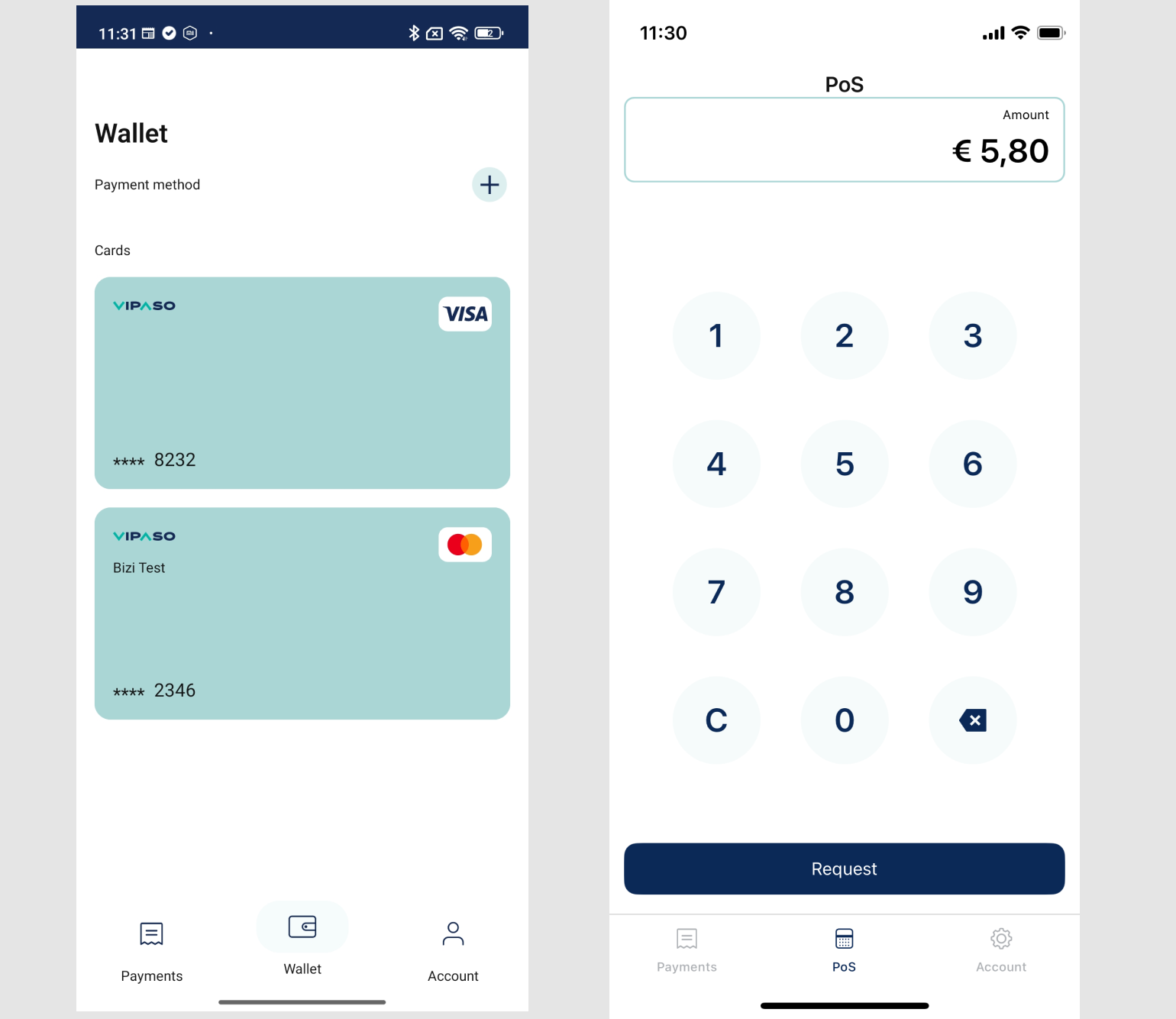
Business: Send nearby payment request
The Business device broadcasts a payment request to all potential payers in range. The call returns when the first Customer accepts it.
Note: This starts a short-lived payment session that exists only during the active payment.
vipaso.payment.business.sendNearbyPaymentRequest(
    amount: "25.50",
    currency: "USD",
    paymentReference: "order-123" // Optional reference
) { [weak self] result in
	switch result {
  	case .success(let response):
    	self?.handlePaymentResponse(response)
    case .failure(let error):
    	self?.handlePaymentError(error)
  }
}
Accepting the Payment
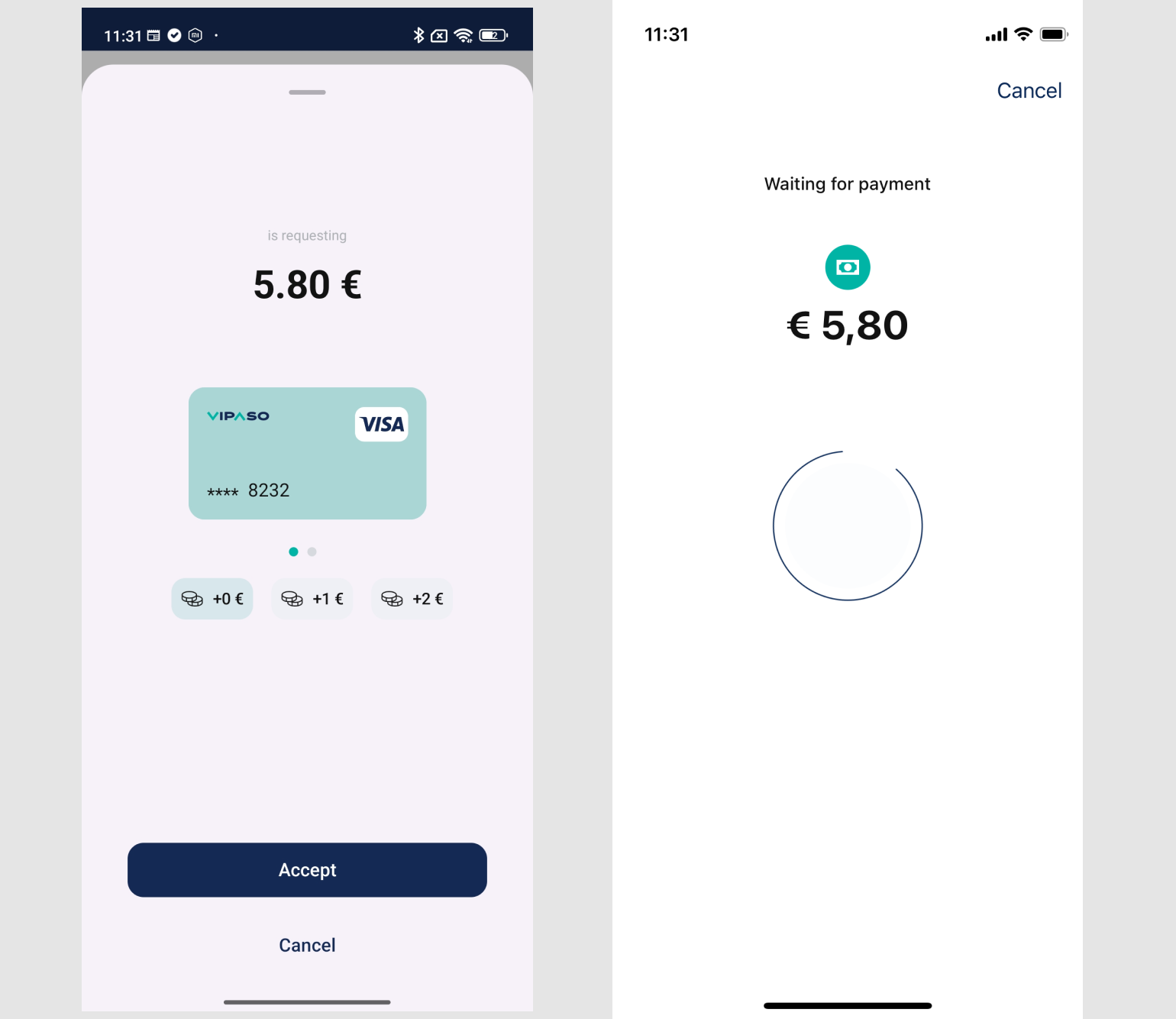
The Customer accepts the payment request by sending the acceptance to the Business device:
With instruments managed by Vipaso
let request = VipasoPaymentAcceptanceRequest(
	paymentID: paymentID,
	amount: amount,
  tip: tip,
  currency: currency,
  instrumentID: instrumentID,
  createdAt: Date().iso8601String,
  isDelegatedInstrumentID: false // Set to true for delegated instruments
)

vipaso.payment.customer.acceptPayment(request: request) { [weak self] result in
	switch result {
  	case .success(let response):
    	self?.handleAcceptanceSuccess(response)
    case .failure(let error):
    	self?.handleAcceptanceFailure(error)
  }
}
With client Delegated instruments
The VipasoPaymentAcceptanceRequest.isDelegatedInstrumentID property also indicates if the payment is
being done with a delegated instrument.
let request = VipasoPaymentAcceptanceRequest(
    paymentID: paymentID,
    amount: amount,
    tip: tip,
    currency: currency,
    instrumentID: instrumentID,
    createdAt: Date().iso8601String,
    isDelegatedInstrumentID: true
)

vipaso.payment.customer.acceptPayment(request: request) { result in
    switch result {
    case .success(let request):
        promise(.success(request))
    case .failure(let error):
        promise(.failure(.generic(error: error)))
    }
}
NOTE: The acceptance method call is the same. Only the input model changes.
Example screenshots from our development application:
Cancelling the payment
Customer side cancellation:
If the Customer does not accept a payment, they can cancel the operation:
IMPORTANT: When this call succeeds the customer will not receive this payment from the business side anymore.
vipaso.payment.customer.cancelPayment(paymentID: paymentID) { [weak self] result in
  switch result {
    case .success(let response):
			self?.handleCancellationSuccess(response)
    case .failure(let error):
			self?.handleCancellationFailure(error)
  }
}
Business side cancellation:
The Business can cancel the current payment, which terminates the session on both Business and Customer sides:
Important: When business cancels a payment, all connected customers are notified that the payment is cancelled and cannot pay it anymore and their sessions are automatically terminated.
vipaso.payment.business.cancelPayment()
Termination
To manually terminate the session at any time (e.g., user navigates away, app lifecycle events):
vipaso.payment.customer.terminatePayment()
//or
vipaso.payment.business.terminatePayment()

**Best Practice**: Always call `terminatePayment()` when a payment flow is concluded. The method is idempotent and won't cause issues if the session is already terminated or being terminated